家族關係整理
逐步建立家族成員與親屬關係,讓家譜閱讀更清楚。
念安(NianAn)協助你整理家族關係、重要日期、祭祀資訊與照片,將零散的記憶慢慢整理成清楚、可持續維護的家譜。
不論是整理長輩口述、建立家庭紀錄,或準備列印分享,都能一步一步完成。
念安(NianAn)帮助你整理家族关系、重要日期、祭祀信息与照片,将零散记忆慢慢整理成清晰、可持续维护的家谱。
无论是整理长辈口述、建立家庭记录,还是准备打印分享,都能一步一步完成。
NianAn helps you organize family relationships, important dates, memorial details, and photos so scattered memories can become a clear, maintainable family record.
From collecting elder family stories to preparing print-friendly sharing, the app supports a gentle step-by-step process.
當家族資料散落在記事本、照片、長輩口述與聊天紀錄裡,最難的不是「開始」,而是如何整理成日後還看得懂、找得到、補得上的形式。念安希望幫你把這件事變得更容易。
從自己開始,逐步整理父母、兄弟姊妹、配偶與子女資料,不必一次完成全部。
把生日、忌日、祭祀地點與重要備註放在一起,日後查找更直覺。
資料整理後更清楚,也更適合後續家庭成員共同延續與保存。
以下以插圖呈現常見使用需求與對應功能,方便快速了解念安能幫你完成的事情。
逐步建立家族成員與親屬關係,讓家譜閱讀更清楚。
集中記錄生日、忌日、祭祀資訊與補充說明,查閱更方便。
搭配人物照片與紀錄內容,讓家族資料更貼近真實生活。
透過以下畫面,你可以快速了解「念安」APP如何整理家譜關係、紀念資訊、照片與列印版面,讓家族資料更容易保存、查找與延續。
「念安」APP協助你從家譜樹開始,逐步補上人物資料、重要日期、祭祀紀錄與列印內容,不論是自己整理,或和家人一起核對,都更有條理。
適合整理長輩口述、建立家庭共享資料,也適合把現有記錄慢慢補完整。
前往 App Store 下載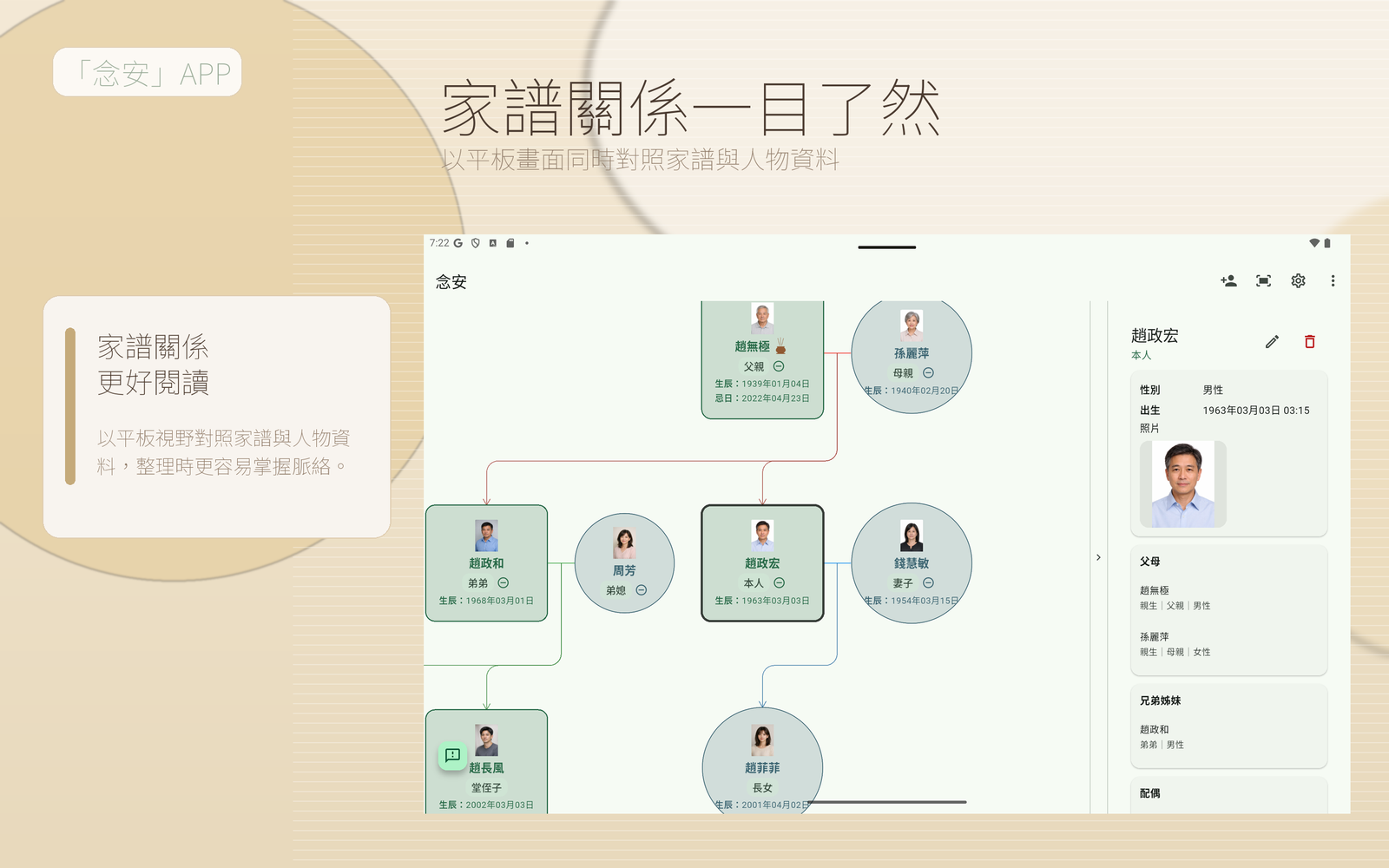
用家譜樹與詳細資料搭配閱讀,較容易看懂人物關係與前後脈絡。
把日期、祭祀、備註與照片整理在同一處,日後查找更省力。
無論用手機快速查看,或用平板深入整理,都能維持一致的使用體驗。
從匯入家譜、檢查細節,到準備列印與查看紀念資料,都能用直式畫面一步一步完成。
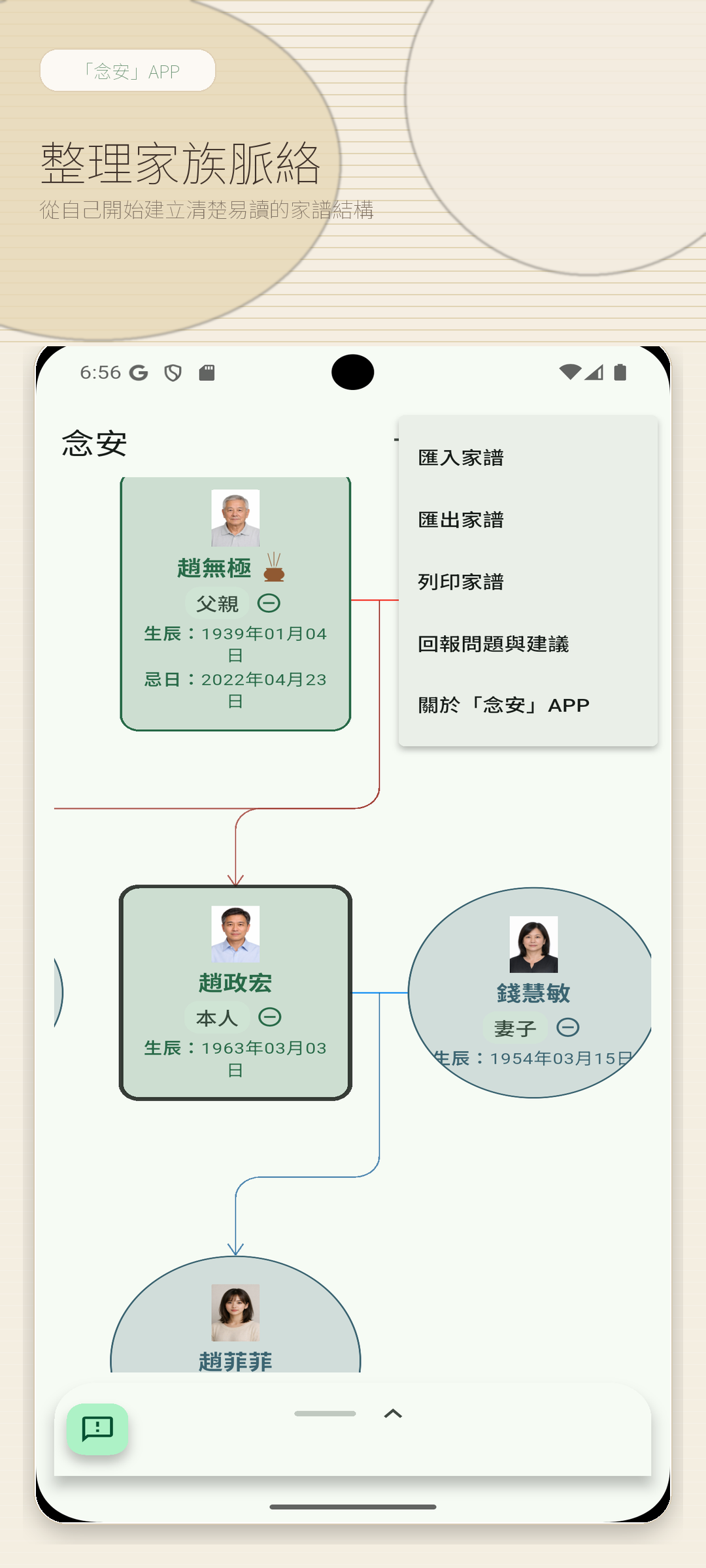
先看到樹狀關係與匯入入口,適合把分散資料慢慢收回到同一處。
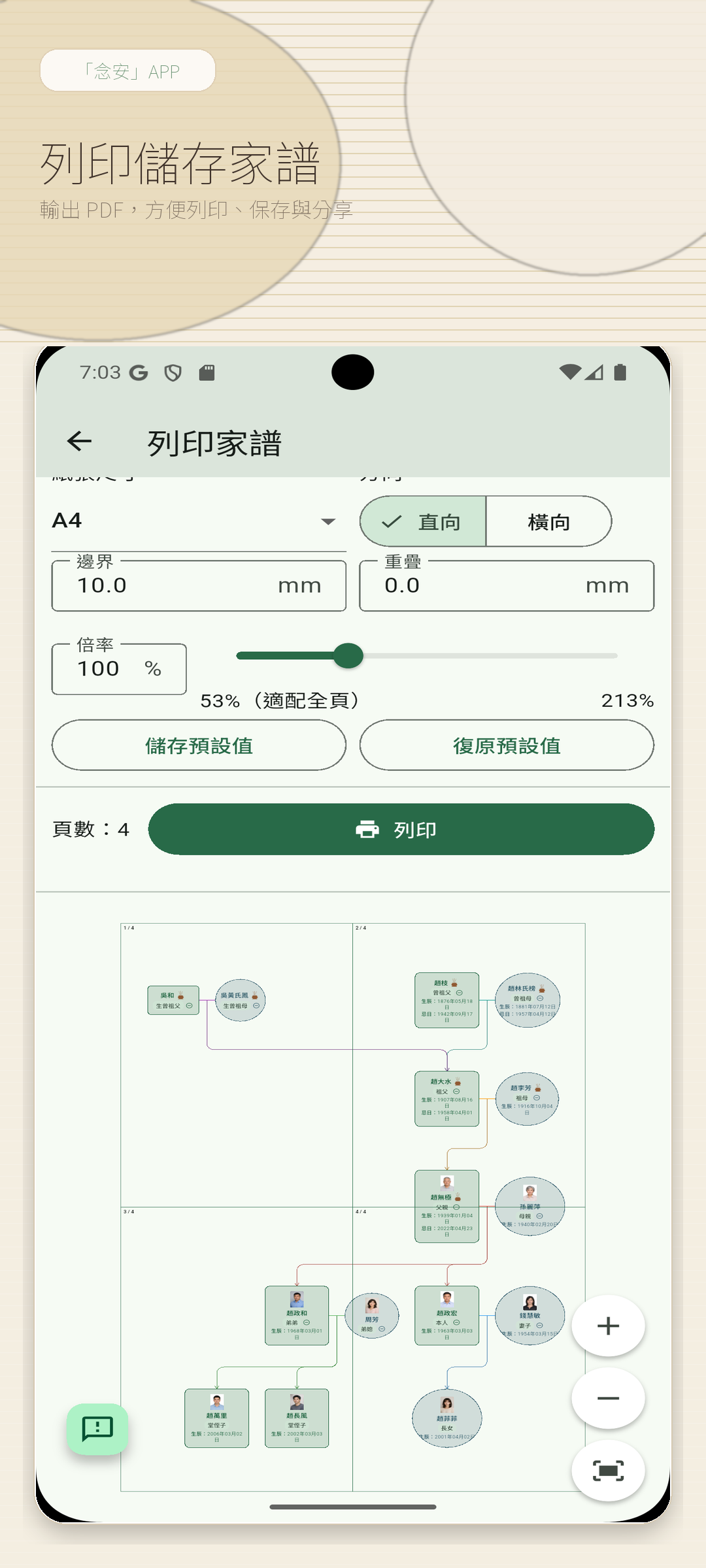
整理完資料後,可直接進入輸出版面與分享準備流程。
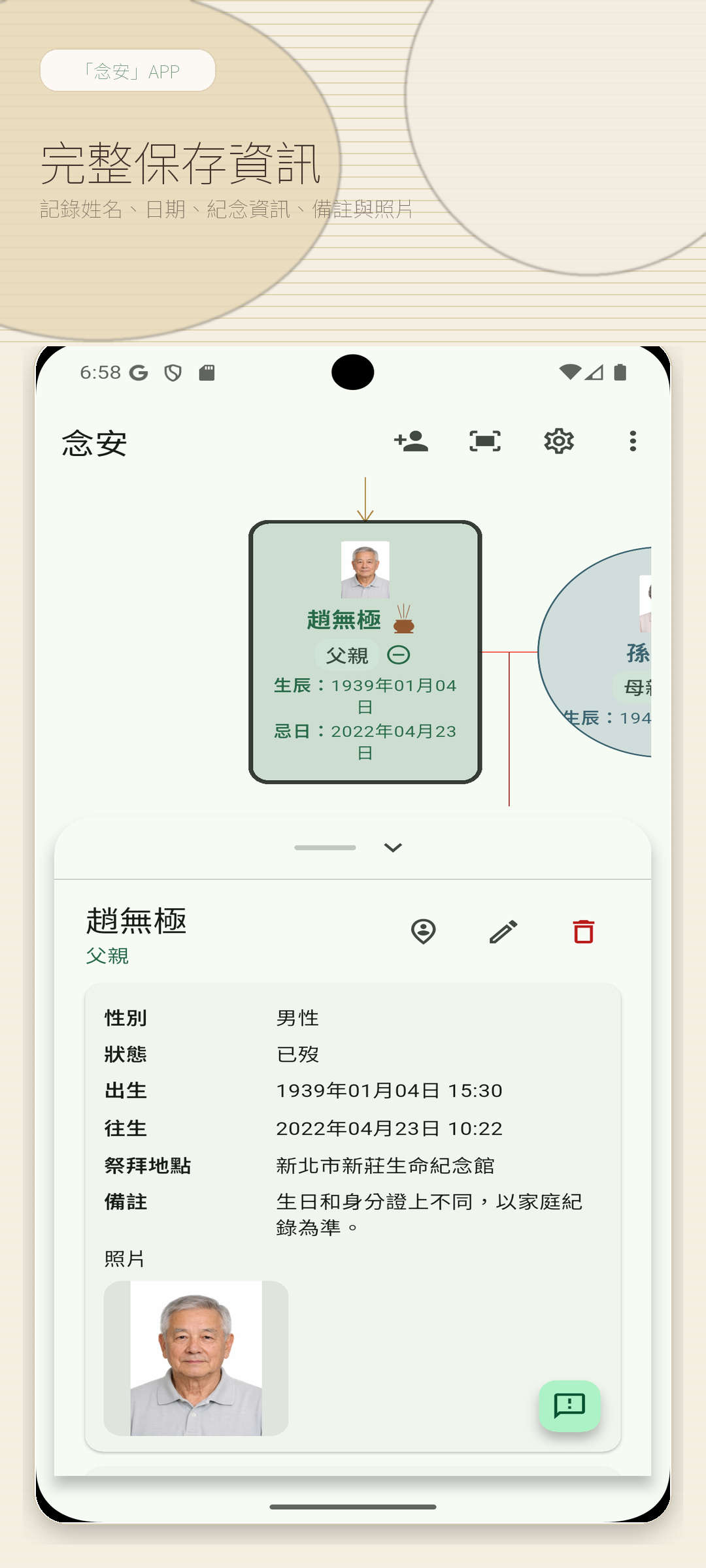
把人物資訊、日期與補充內容放在同一個閱讀脈絡裡。
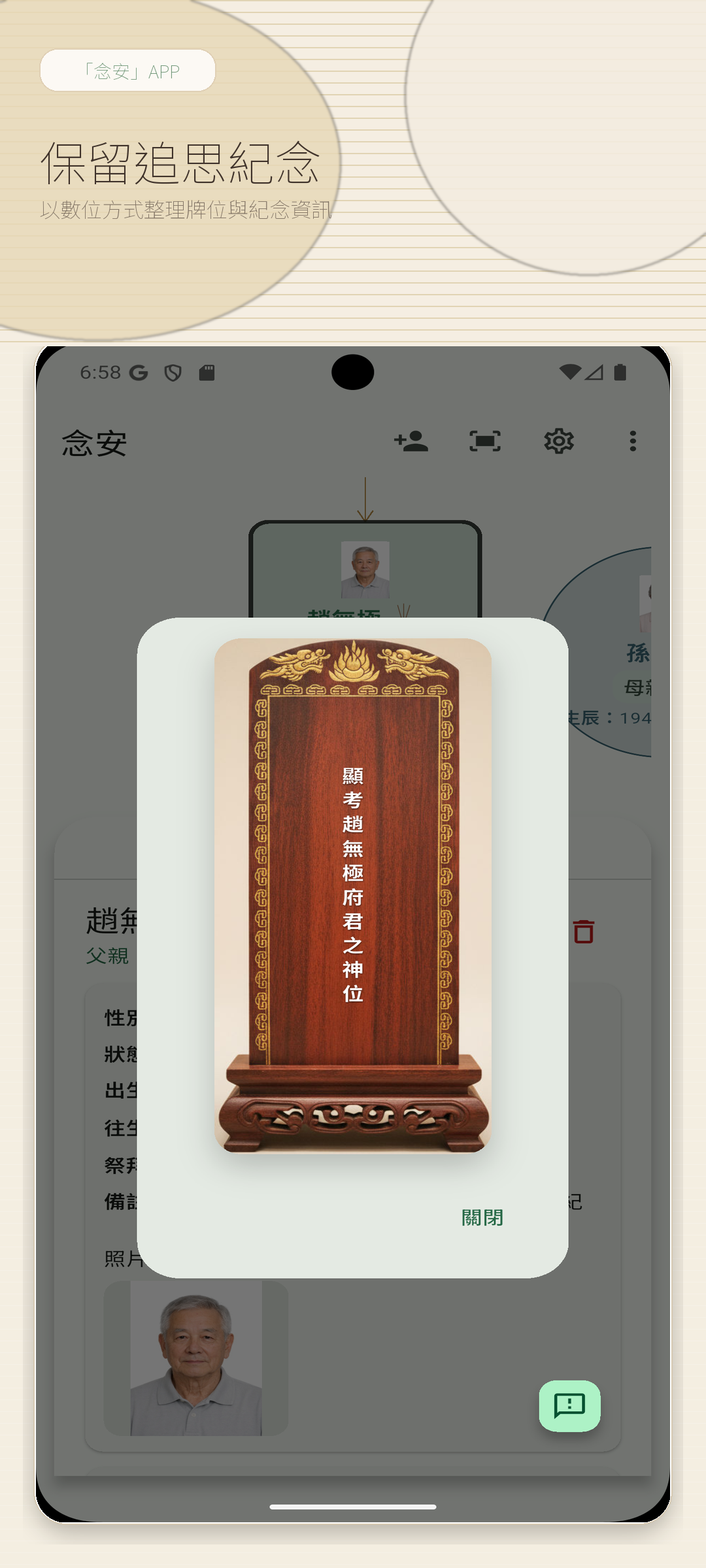
重點日期與紀念資料清楚呈現,方便家人日後回查與接手。
更大的畫面適合長時間整理、比對與和家人一起討論,尤其適合看家譜樹與列印版面。
一邊看整體關係,一邊核對人物資料,整理時更不容易迷失脈絡。
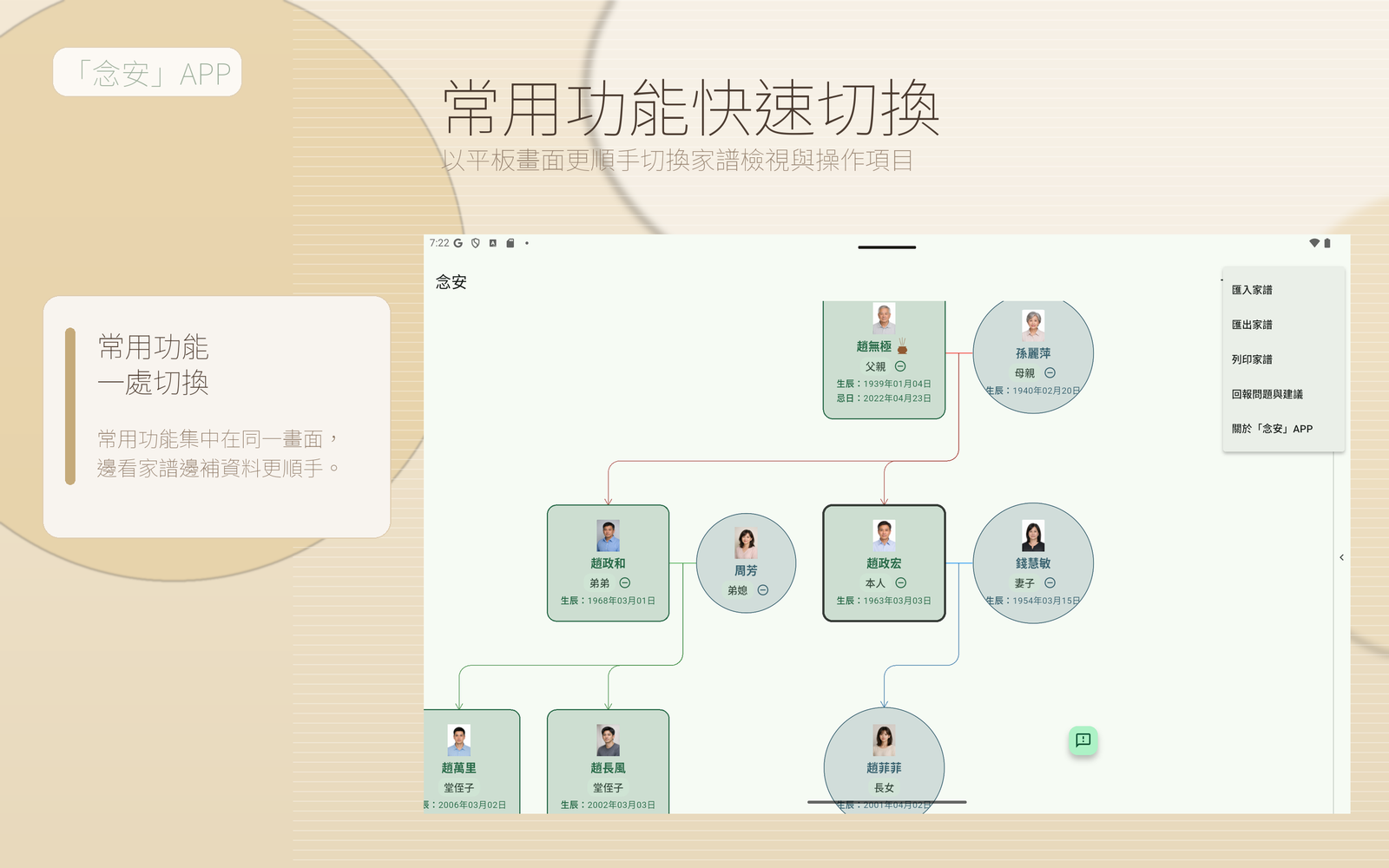
常用操作集中在側邊與上方,適合邊看邊補資料。
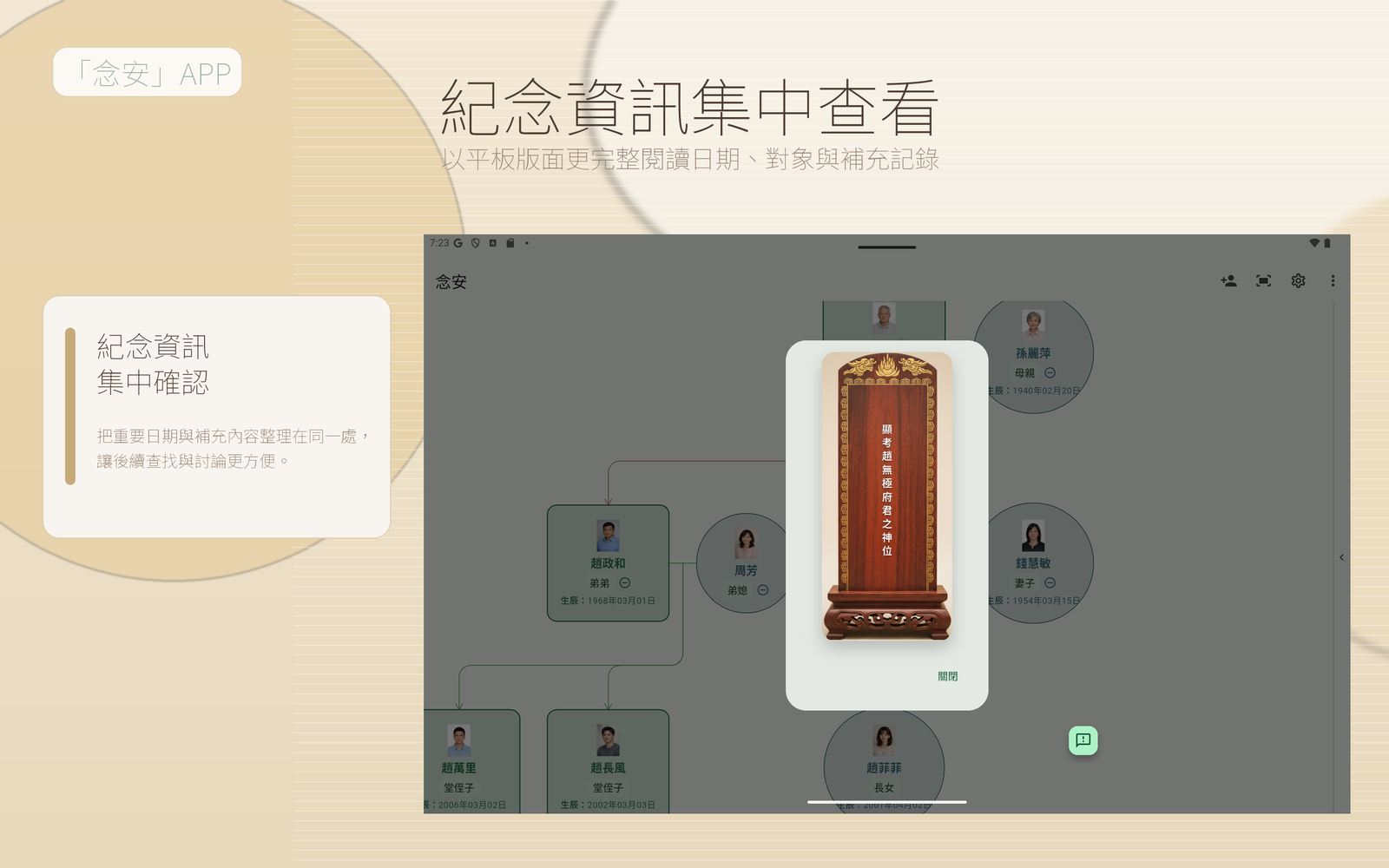
用更舒展的閱讀版面呈現日期、對象與脈絡,方便家庭共同確認。
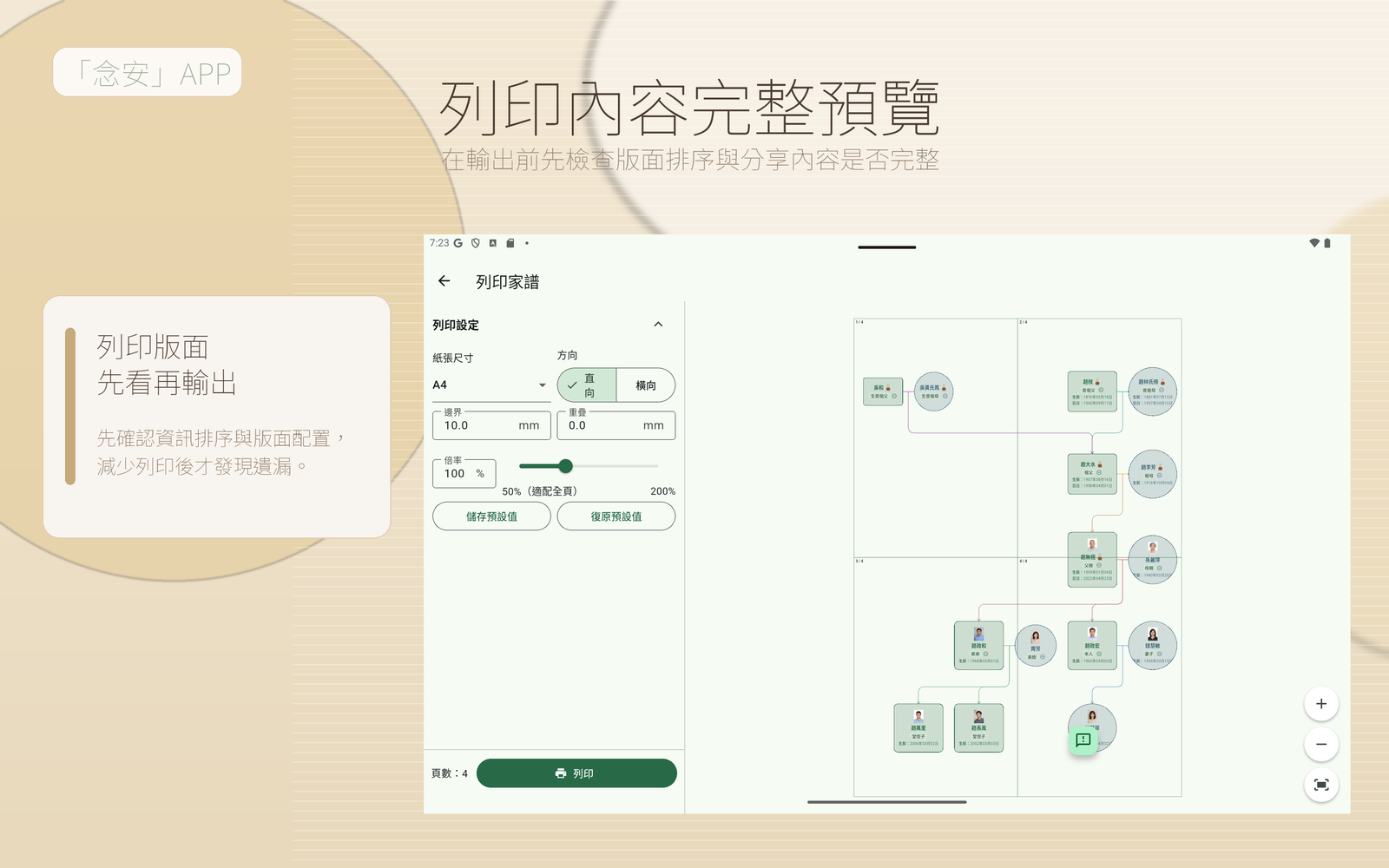
在輸出前先檢查版面與資訊排序,讓分享給家人的內容更完整。
邊聽邊記錄,逐步整理家族成員關係與重要時間點。
將忌日、祭祀地點與備註整理在同一處,減少遺漏。
把分散的紙本與照片內容整理成更容易延續的家族資料。
整理完成後更方便向家人說明、討論與保存。
「念安」APP 已於 App Store 上架,可立即下載安裝。
Google Play 版本即將推出,若想第一時間收到上線通知,可透過下方客服信箱聯繫我們。
当家族资料散落在笔记、照片、长辈口述与聊天记录里,最难的往往不是“开始”,而是如何整理成日后仍看得懂、找得到、补得上的形式。念安希望让这件事更容易。
从自己开始,逐步整理父母、兄弟姐妹、配偶与子女资料,不必一次完成全部。
把生日、忌日、祭祀地点与重要备注放在一起,后续查找更直观。
资料整理后更清楚,也更适合后续家庭成员共同延续与保存。
以下以插图呈现常见使用需求与对应功能,方便快速了解念安能帮助你完成的事情。
逐步建立家族成员与亲属关系,让家谱阅读更清楚。
集中记录生日、忌日、祭祀信息与补充说明,查阅更方便。
搭配人物照片与记录内容,让家族资料更贴近真实生活。
通过以下画面,你可以快速了解「念安」APP如何整理家谱关系、纪念信息、照片与打印版面,让家族资料更容易保存、查找与延续。
「念安」APP帮助你从家谱树开始,逐步补上人物资料、重要日期、祭祀记录与打印内容。不论是自己整理,还是和家人一起核对,都会更有条理。
适合整理长辈口述、建立家庭共享资料,也适合把现有记录慢慢补完整。
前往 App Store 下载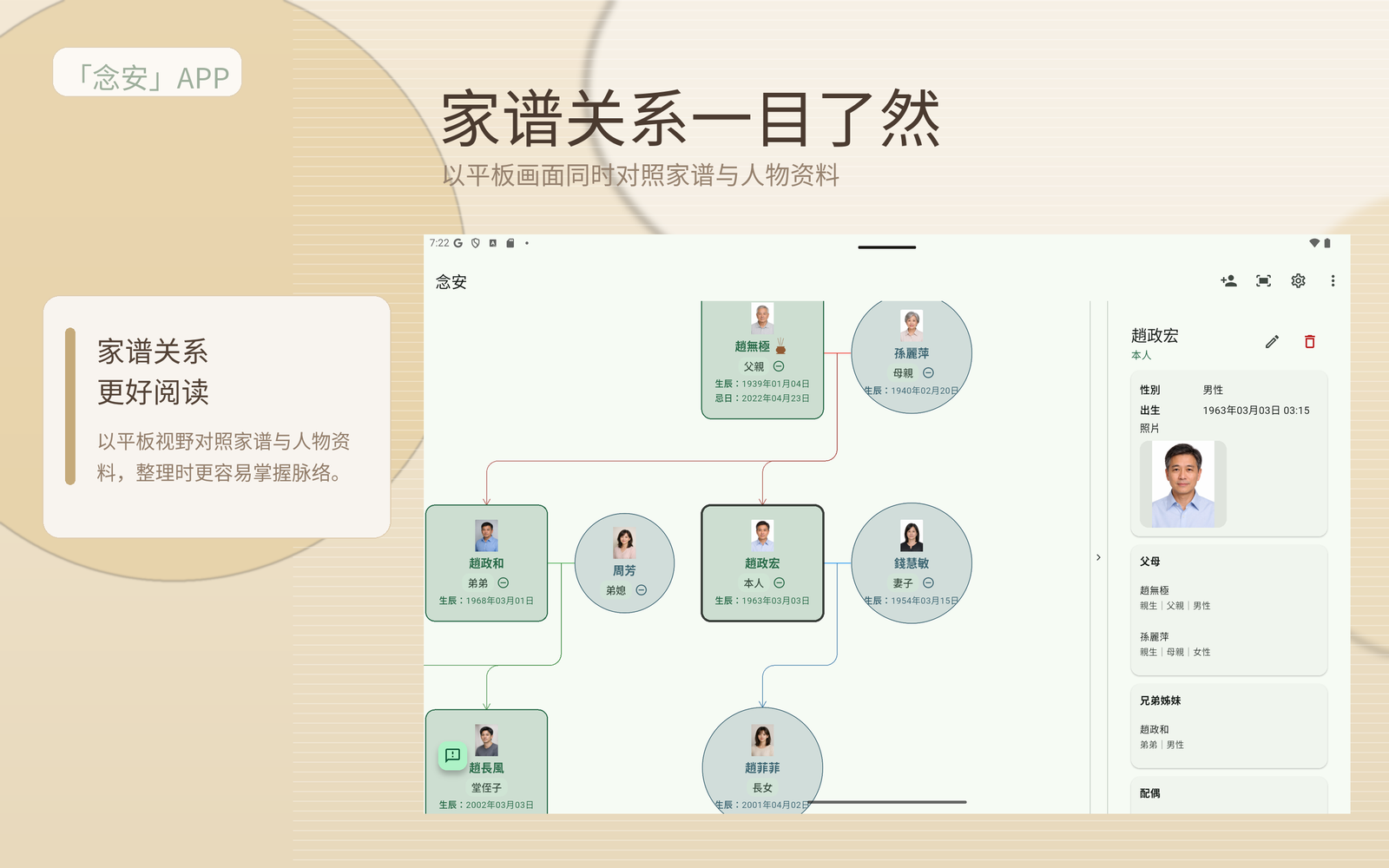
通过家谱树与详细信息搭配阅读,更容易看懂人物关系与前后脉络。
把日期、祭祀、备注与照片整理在同一处,之后查找更省力。
无论用手机快速查看,还是用平板深入整理,都能保持一致的使用体验。
从导入家谱、检查细节,到准备打印与查看纪念资料,都可以在直式画面中顺着完成。
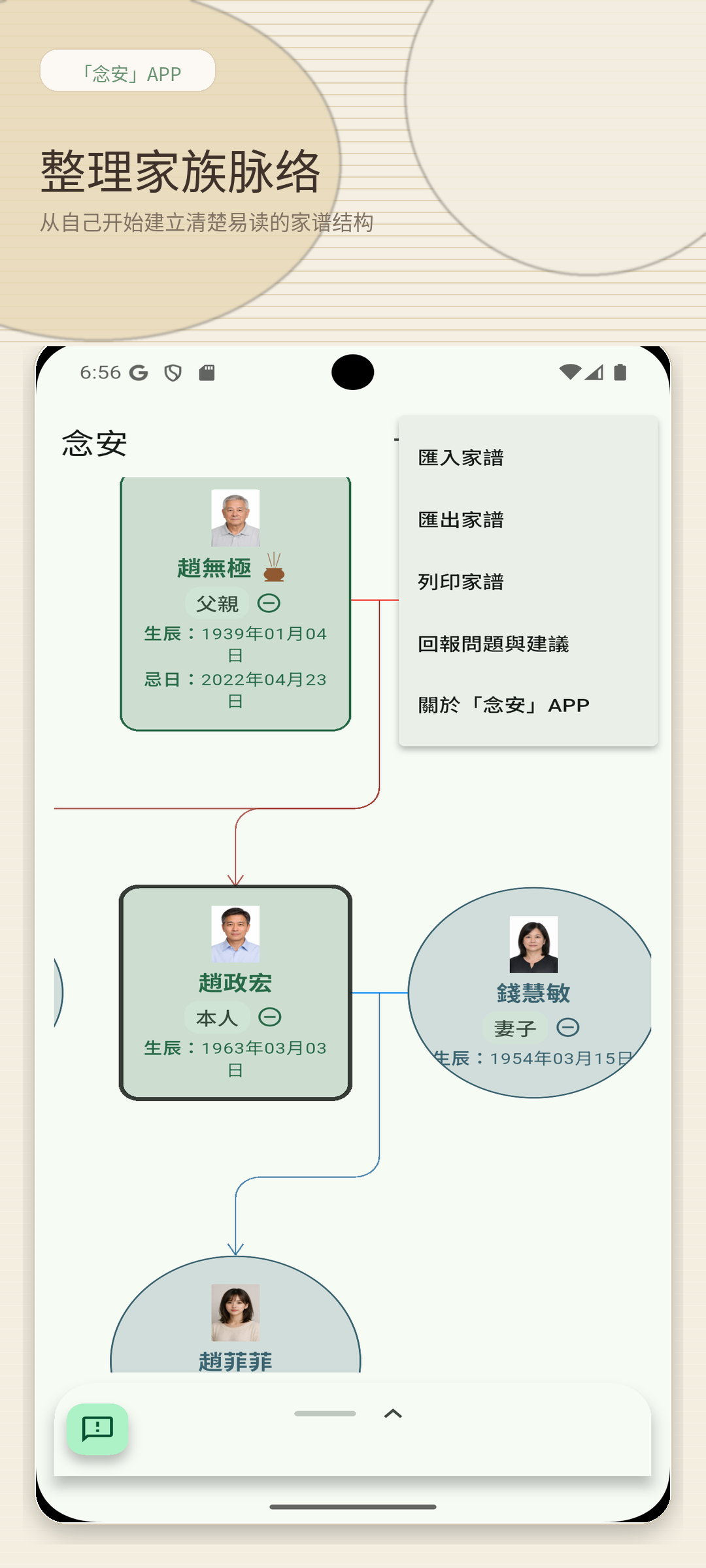
先看整体关系与导入入口,适合把零散资料慢慢整理回同一个家族记录里。
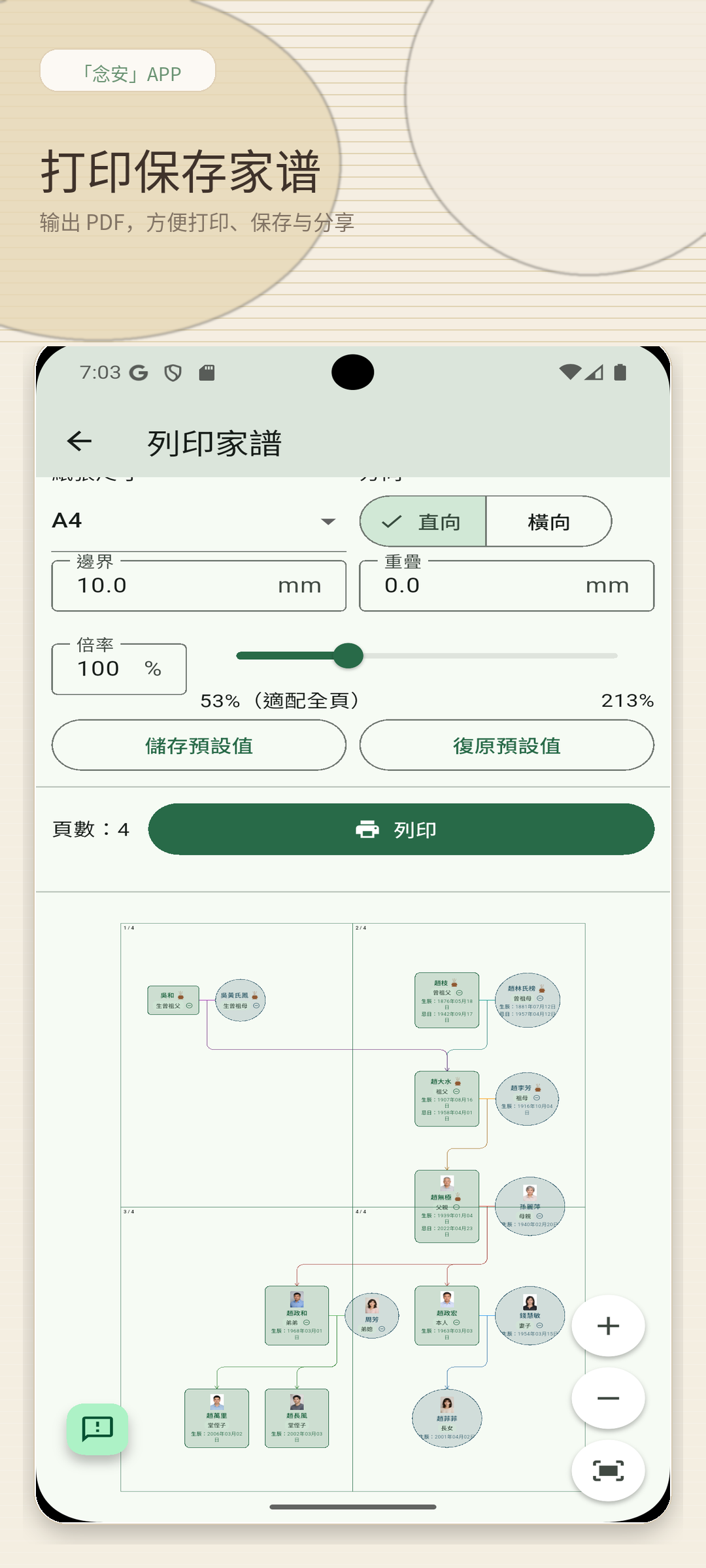
整理完成后,可直接进入输出版面与分享准备流程。
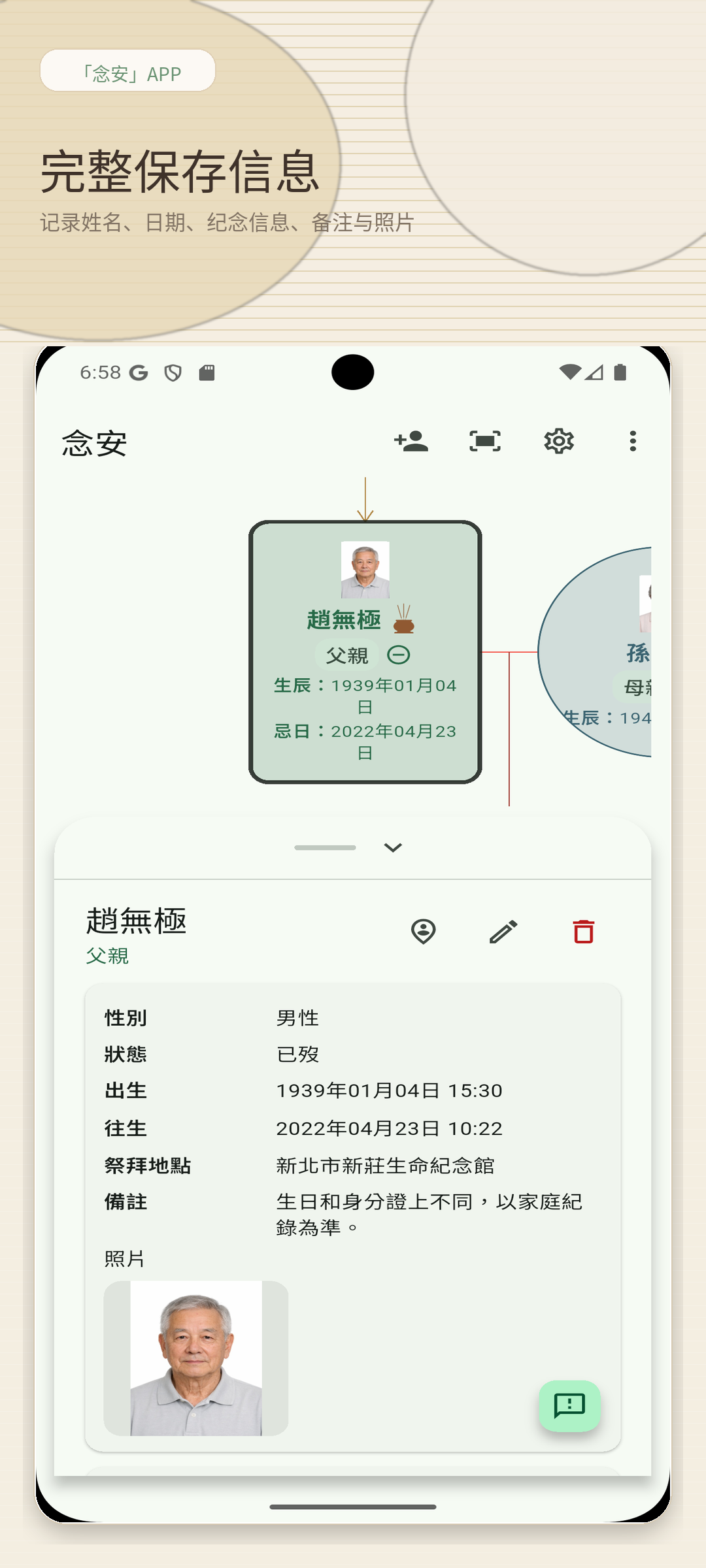
人物资料、日期与补充内容集中显示,阅读脉络更完整。
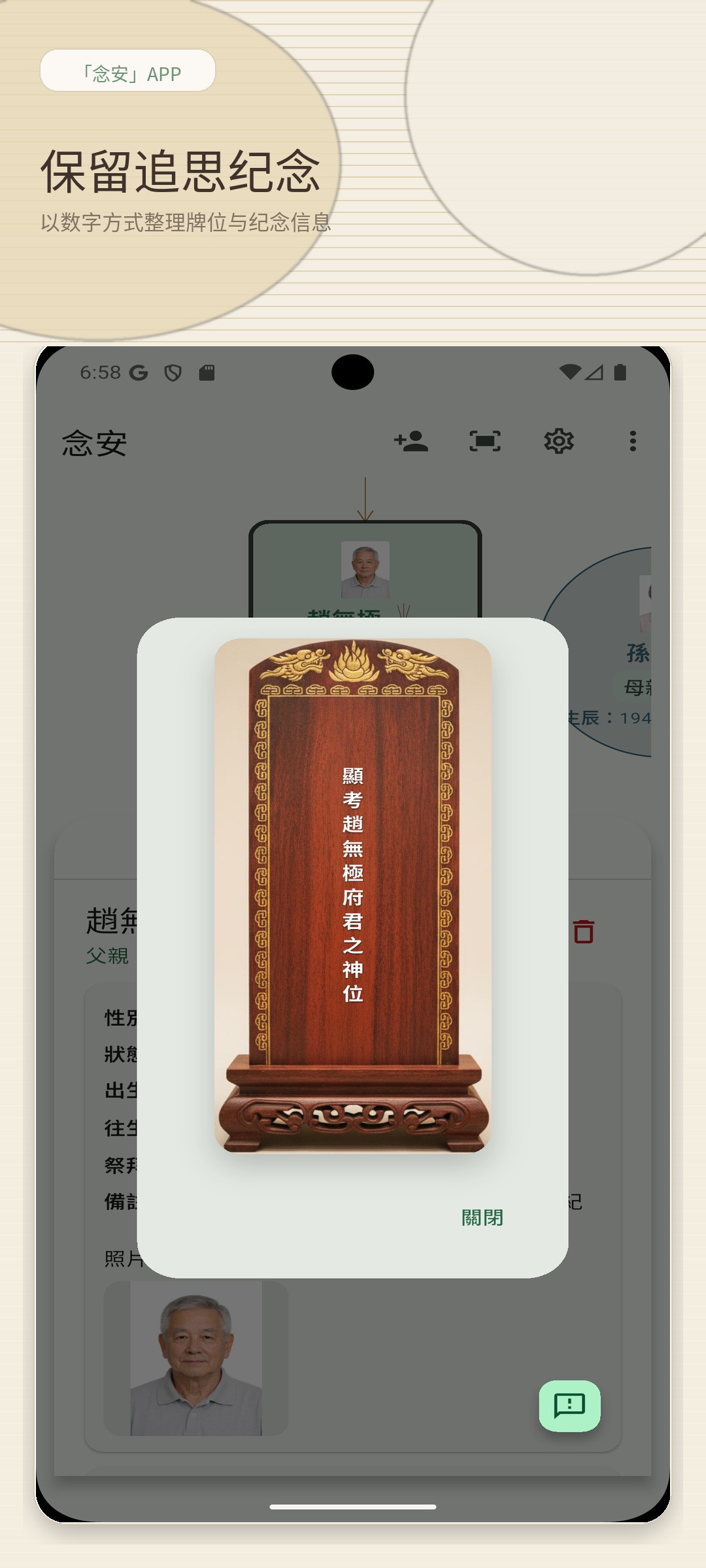
重要日期与纪念信息更清楚,方便家人后续接手与查阅。
更大的画面更适合长时间整理、比对与讨论,尤其适合看家谱树与打印版面。
一边看整体关系,一边核对成员资料,整理过程更稳定。
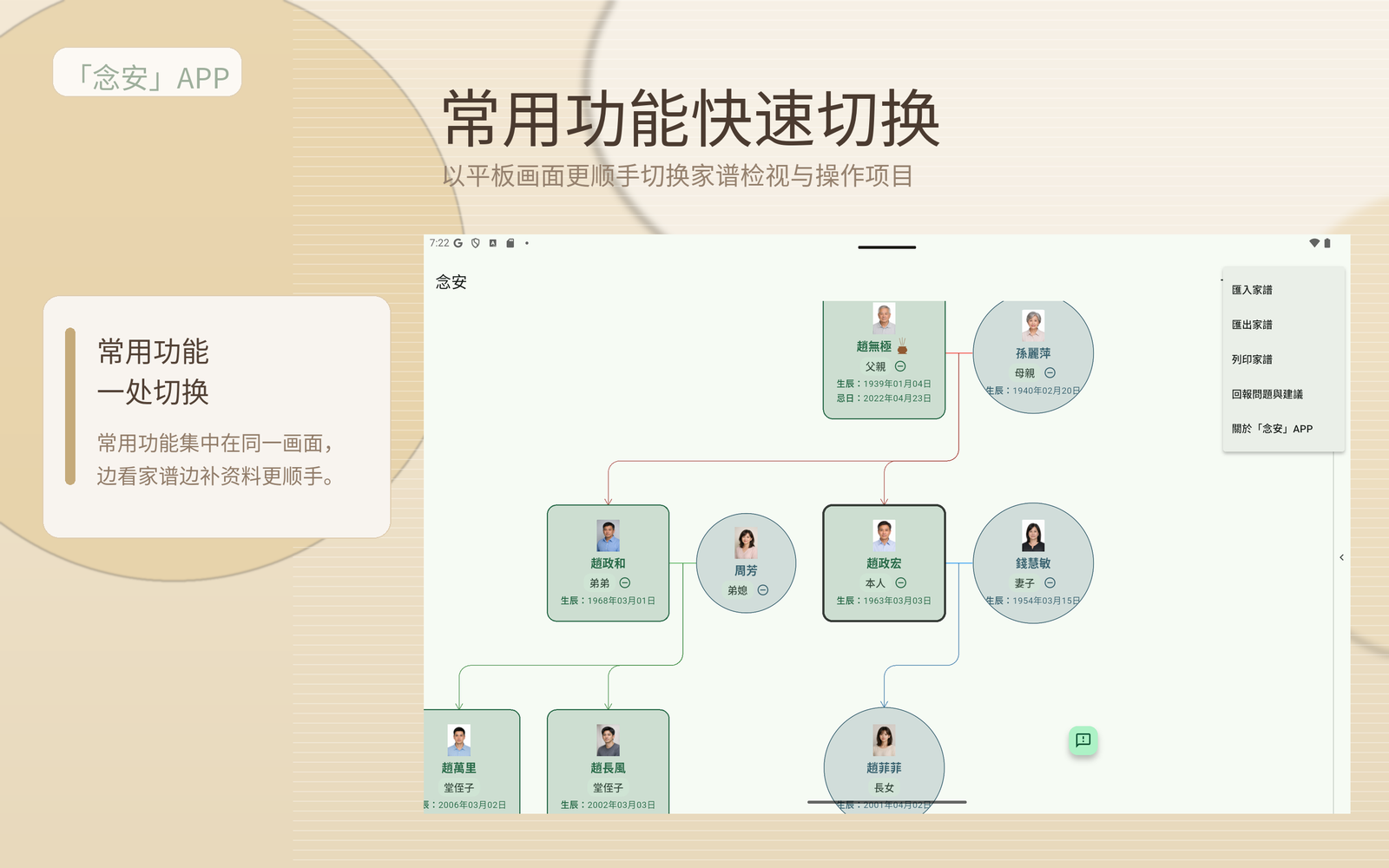
常用功能集中在侧边与顶部,边看边补资料更顺手。
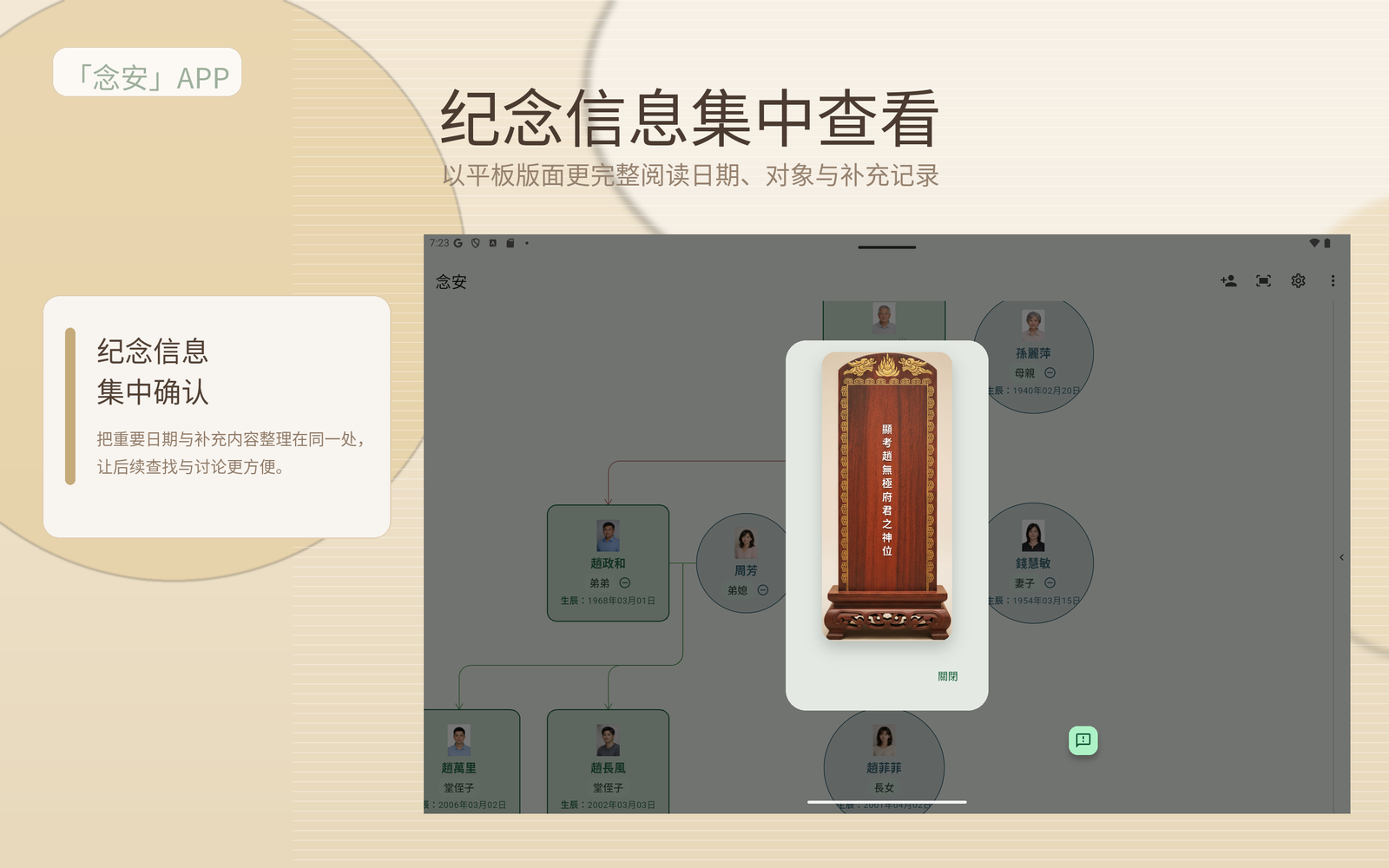
用更宽的阅读版面呈现日期、对象与补充脉络,适合家庭共同确认。
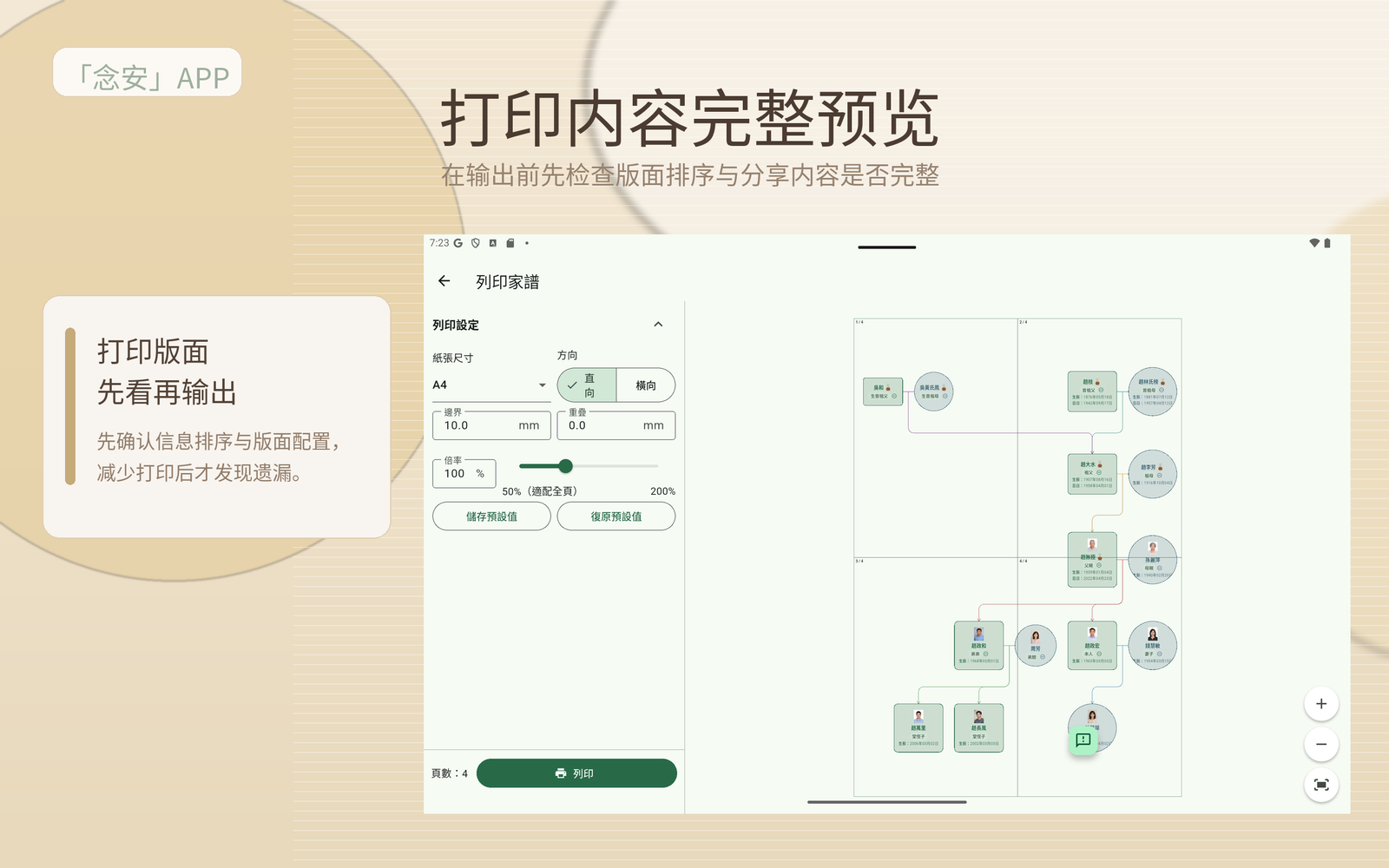
在输出前先检查信息排序与版面,减少分享时的遗漏。
边听边记录,逐步整理家族成员关系与重要时间点。
将忌日、祭祀地点与备注整理在同一处,减少遗漏。
把分散纸本与照片内容整理成更容易延续的家族资料。
整理完成后更方便向家人说明、讨论与保存。
「念安」APP 已在 App Store 上架,现在即可下载安装。
Google Play 版本即将推出,若希望第一时间收到上线通知,可通过下方客服邮箱联系我们。
When family information lives in notebooks, photos, conversations, and memory, the hardest part is not starting. It is turning everything into something clear, findable, and easy to continue later. NianAn is designed to make that process gentler.
Start from yourself and gradually organize parents, siblings, spouses, and children without needing to finish everything at once.
Place dates, memorial details, and notes in one place so family members can find them more easily later.
A clearer family record makes it easier for the next family member to maintain and preserve.
These illustrations show common family needs and the related features NianAn can support.
Build and review family relationships more clearly as your tree grows.
Keep key dates, memorial details, and notes together for easier family reference.
Add photos and context so family records feel more personal and complete.
These screens show how NianAn APP helps families organize relationships, memorial details, photos, and print-ready records in one place.
NianAn APP lets you start from the family tree, then gradually fill in people, dates, memorial notes, and print layouts at a pace that works for one person or a whole family.
Useful for preserving elder stories, building a shared archive, and keeping family records easier to continue later.
Download on the App Store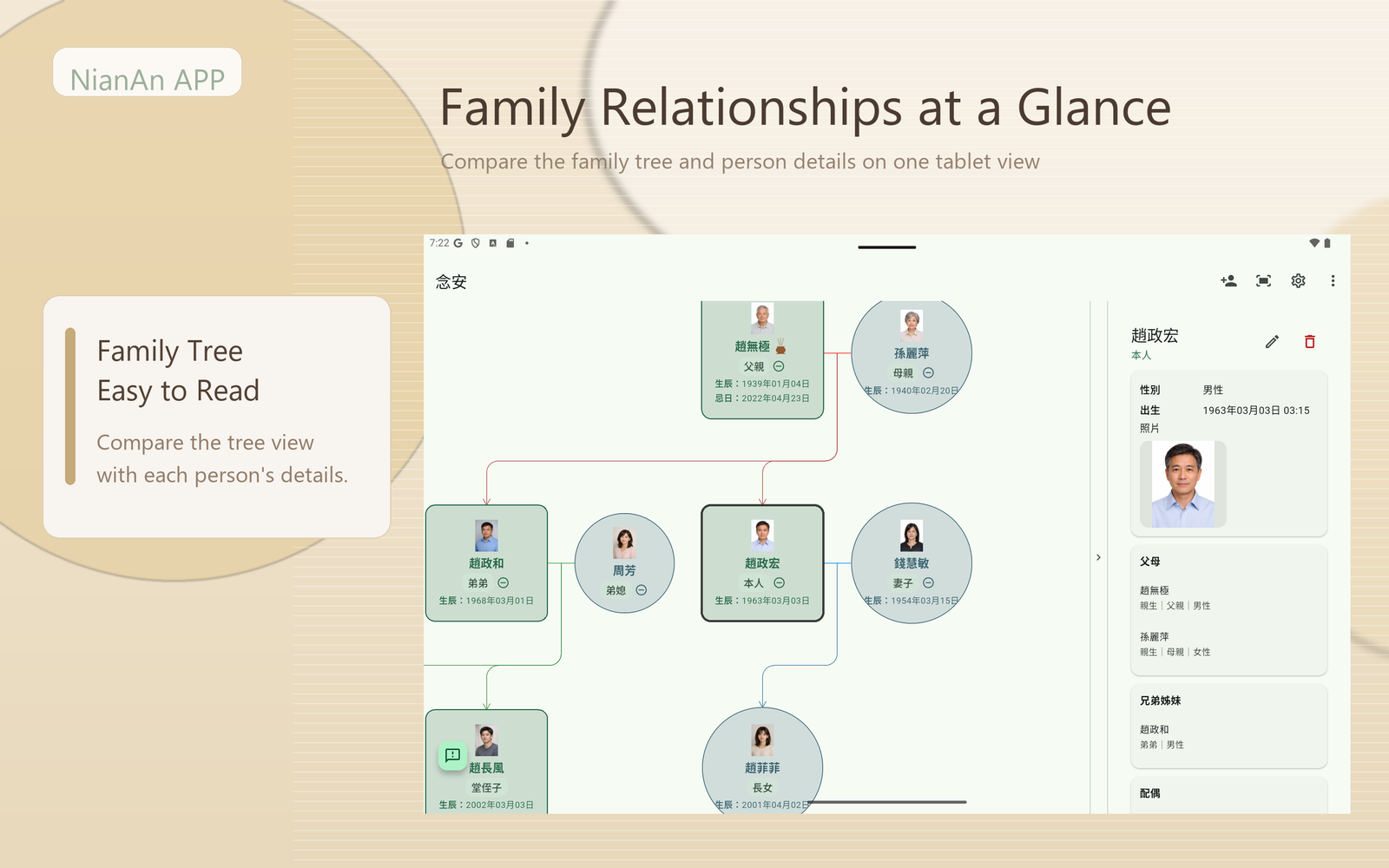
The tree and detail views make it easier to understand who is connected to whom.
Dates, memorial notes, photos, and reminders stay in one place for later reference.
Use the phone for quick checks or the tablet for deeper review without losing continuity.
From reviewing the family tree to checking details, preparing print output, and reading memorial records, the portrait flow stays calm and guided.
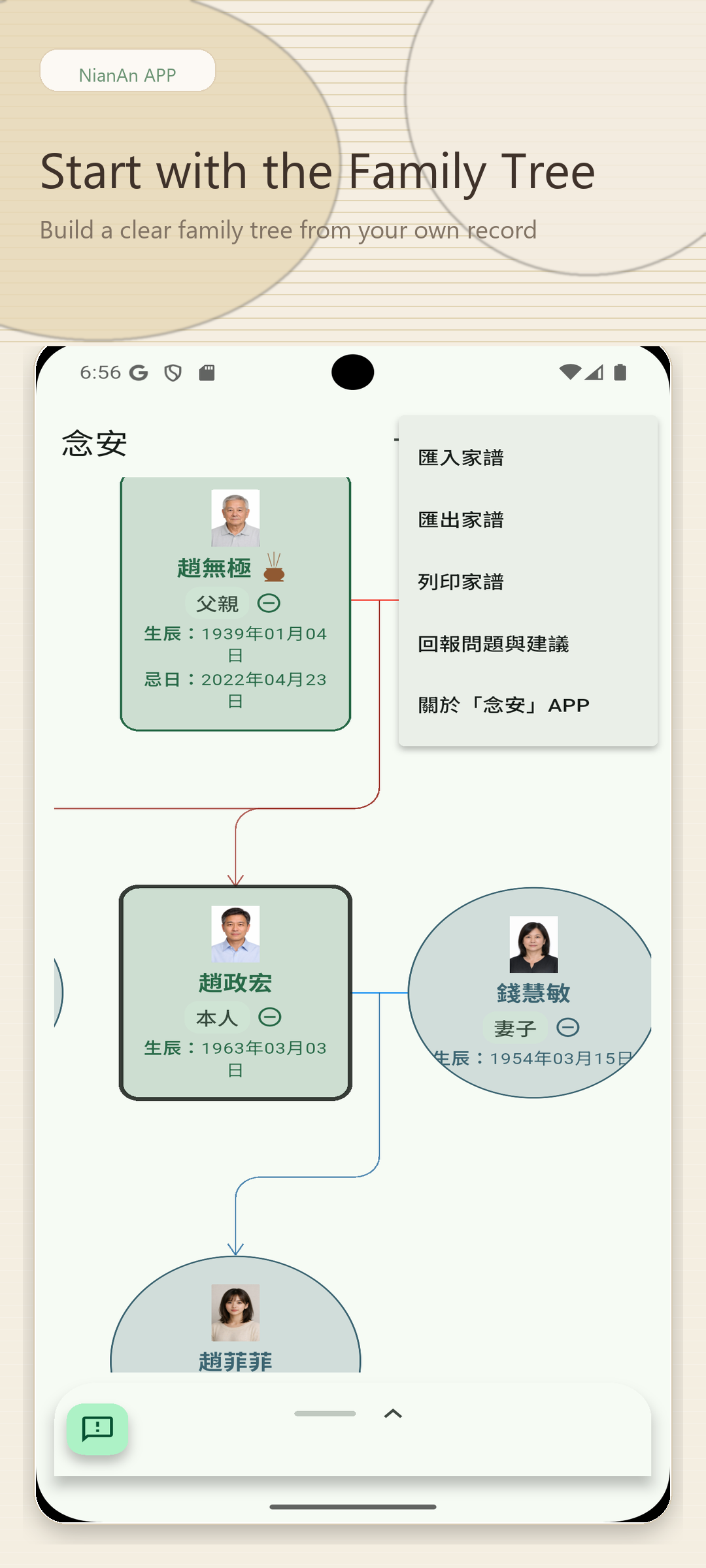
The main tree view and import entry point make it easier to gather scattered family records into one place.
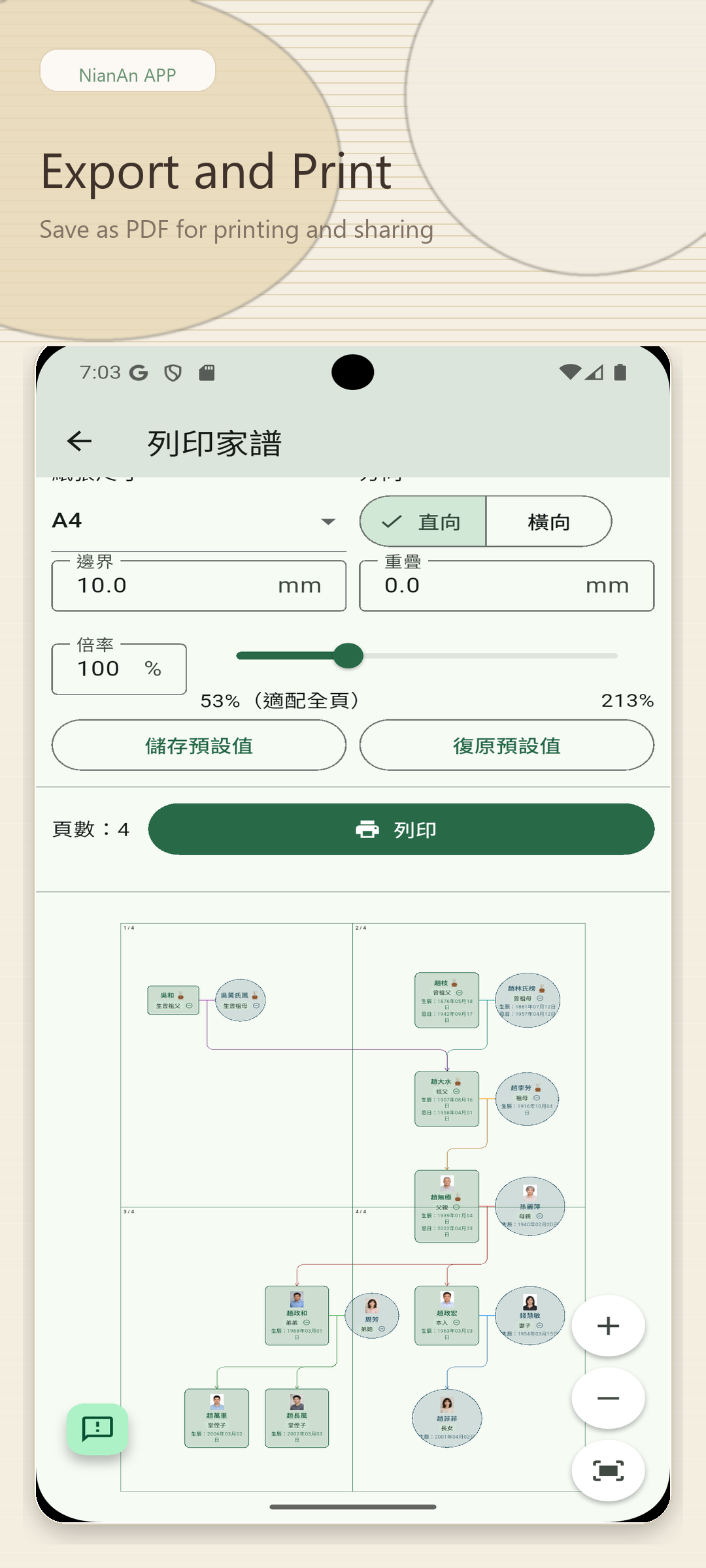
Once records are organized, users can move directly into print-oriented sharing.
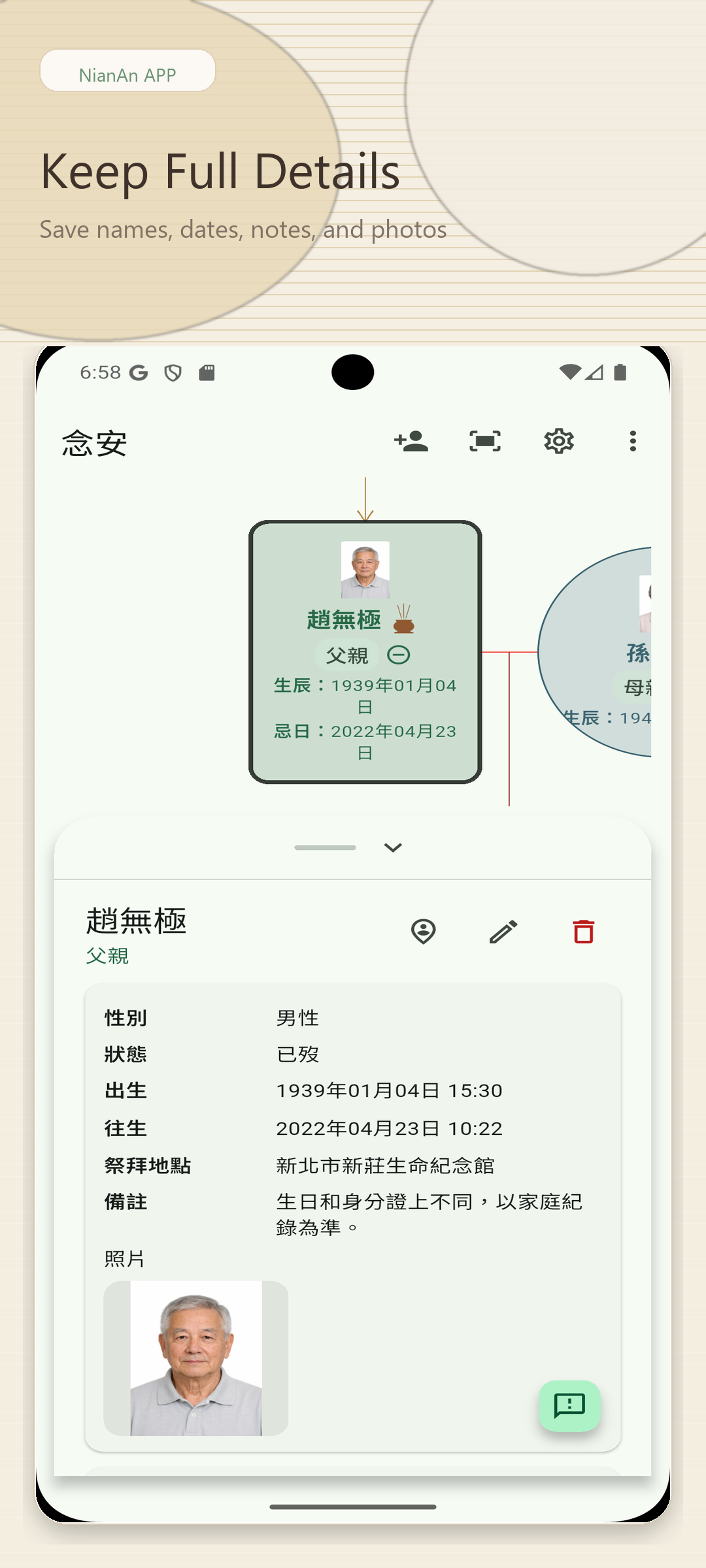
Dates, people, and supporting notes stay together in a focused reading flow.
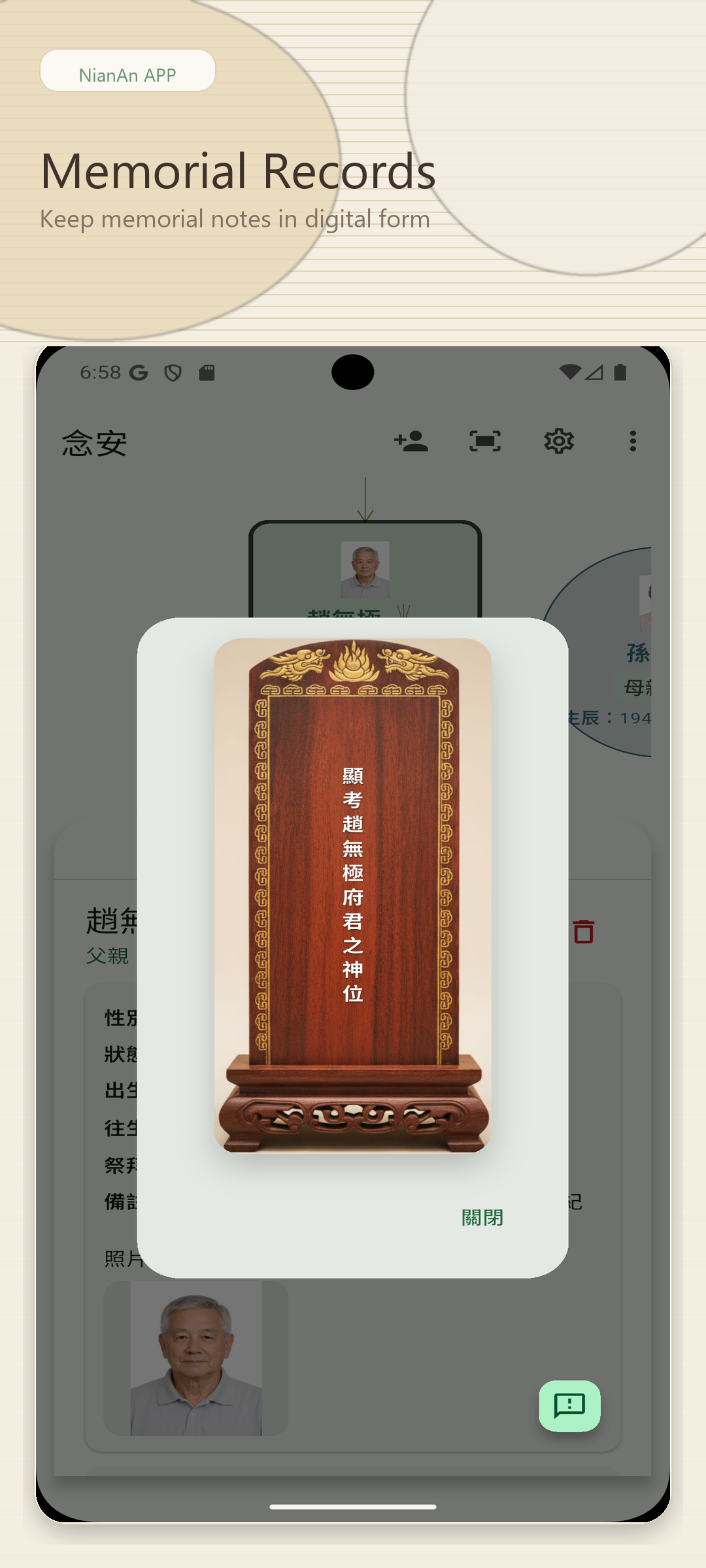
Important remembrance information is presented clearly enough for family follow-up later.
The wider layout is better for extended review, side-by-side comparison, and family discussion, especially when checking trees and print layouts.
Visitors can understand both the family structure and the selected record at the same time.
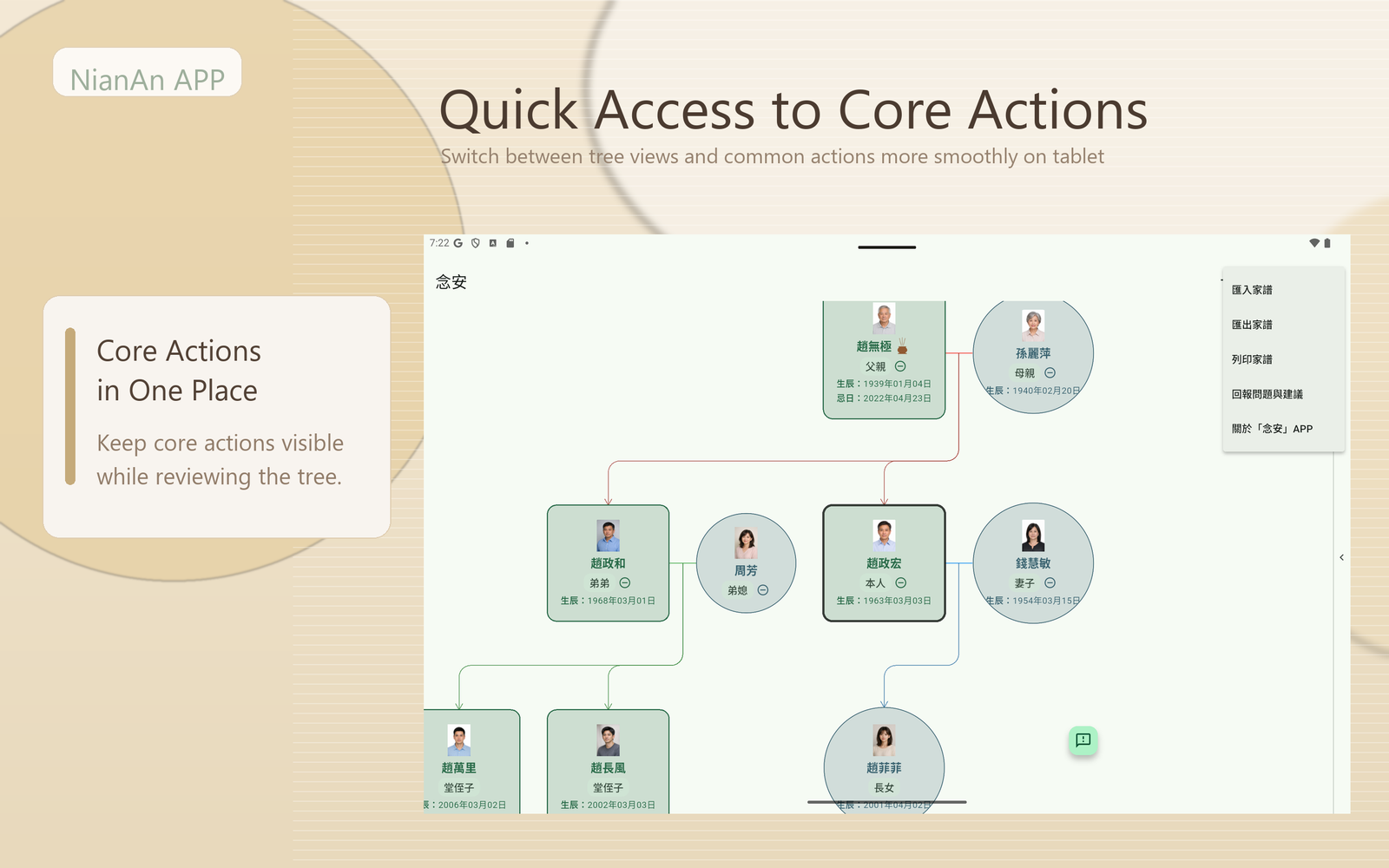
Navigation and editing controls stay visible without crowding the main content.
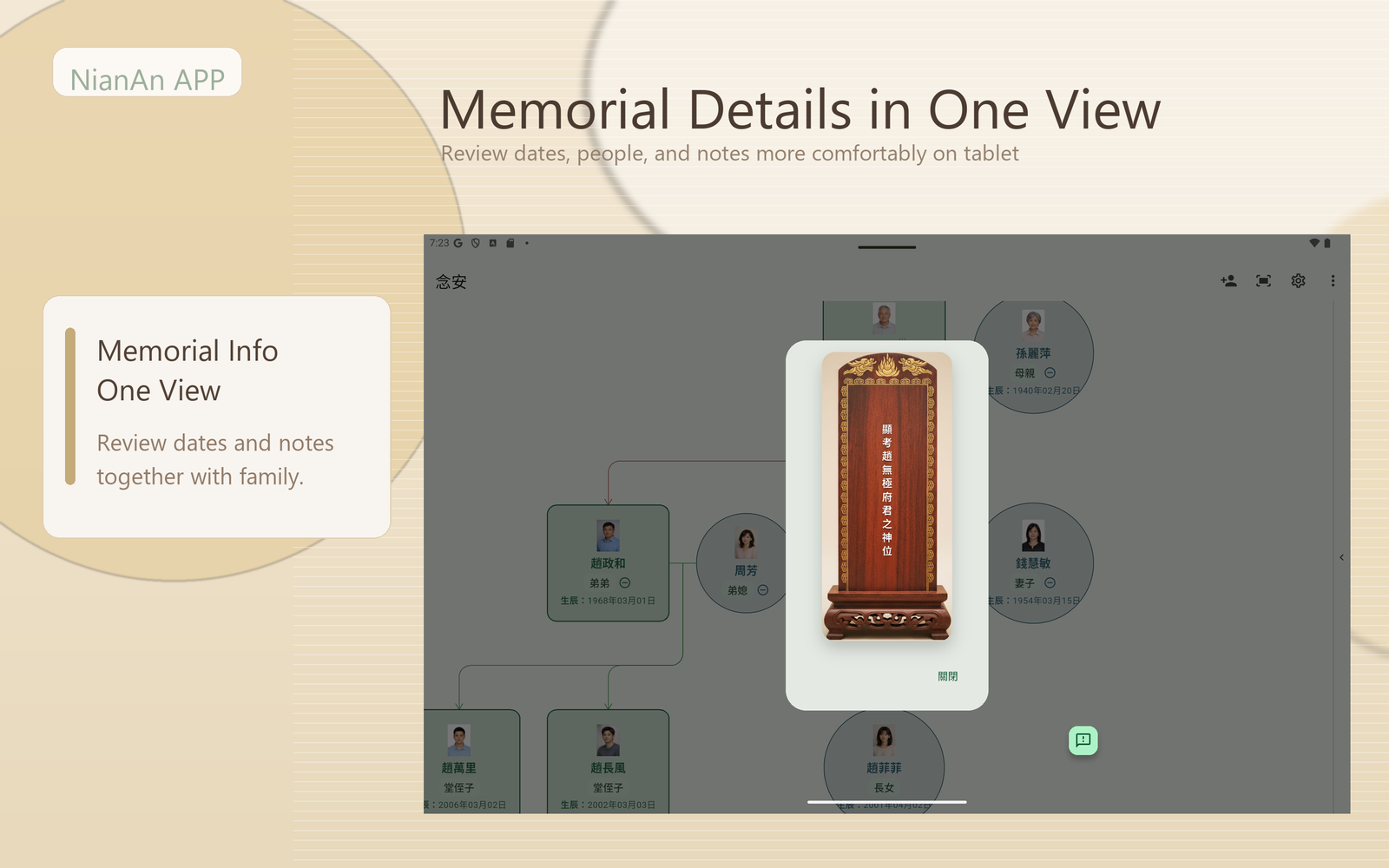
The larger reading area gives families more room to verify context, dates, and meaning together.
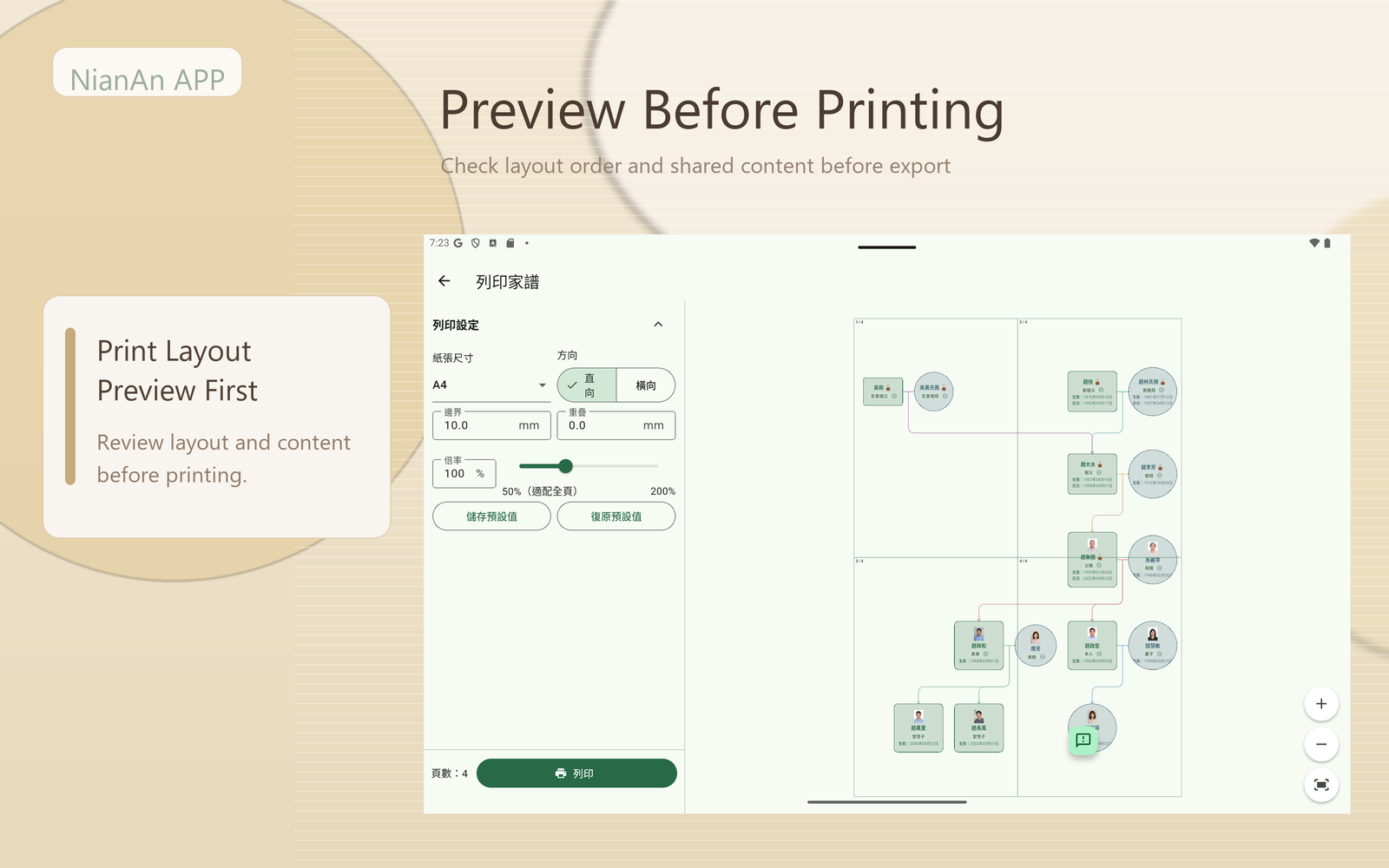
Users can check ordering and page balance before turning records into something shareable.
Organize relationships and dates while listening to family history.
Keep memorial dates, places, and notes together in one reference.
Bring scattered notes and photos into a single, easier-to-continue family archive.
Make it easier to explain and preserve family records after organizing them.
NianAn APP is now live on the App Store and available for download.
The Google Play version is coming soon. If you want launch updates first, contact us through the support email below.
Talent Group Development, Inc.
Use these links to access the Privacy Policy, Terms of Use, and App Review Supplement page from the homepage.